
Zeroner Fit: Health Tracking for Smart Watches
Overview
Zeroner Fit is a desktop-based health management application designed to enhance the functionality of smart watches by centralizing health and lifestyle data. The software serves as a companion tool for users who rely on wearable devices to monitor their physical activity, vital signs, and daily routines. By integrating with smart watches, Zeroner Fit enables users to track key health metrics such as heart rate, blood pressure, sleep quality, and daily activity levels. This allows individuals to gain deeper insights into their well-being and make informed decisions about their health habits.
Target users include health-conscious individuals, fitness enthusiasts, and professionals seeking to maintain a balanced lifestyle. The app is particularly useful for those who use smart watches regularly and want a centralized platform to view, analyze, and manage their health data. Real-world scenarios include monitoring sleep patterns over time to identify improvements in rest quality, tracking heart rate variability during workouts, or using GPS sports features to record outdoor runs and cycling routes.
With support for Apple Health integration, users can consolidate their health data across platforms, ensuring a comprehensive view of their wellness journey. The developer did not provide additional information about the company or development background. The app is available for both Windows and Mac operating systems, offering cross-platform accessibility for desktop users.
Key Features & Capabilities
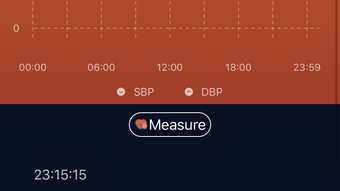
- Health Data Synchronization – Automatically records and displays data collected by smart watches, including heart rate, blood pressure, and sleep patterns, enabling users to monitor long-term health trends.
- GPS Sports Tracking – Offers accurate route recording for running, walking, and cycling, capturing distance, time, pace, and elevation changes to support fitness goal setting.
- Message and Call Notifications – Delivers real-time alerts directly on the smart watch, reducing the need to frequently check mobile devices while staying connected.
- Sedentary Reminder System – Sends gentle alerts to encourage movement after prolonged periods of inactivity, promoting healthier daily habits.
- Alarm Clock Functionality – Provides customizable alarms that sync with the smart watch, helping users maintain consistent wake-up and bedtime routines.
- Apple Health Integration – Allows secure sharing of health data with Apple Health upon user permission, ensuring data consistency across health platforms.
These features collectively support users in maintaining an active lifestyle, improving sleep hygiene, and tracking fitness progress. The app’s ability to consolidate data from multiple sources enhances its utility for long-term wellness management. For example, a user can review their weekly sleep duration alongside their daily activity levels to assess how rest impacts performance.
User Interface, Workflow & Performance
Zeroner Fit features an intuitive interface designed for ease of navigation, allowing users to access health data and settings with minimal effort. The layout is clean and organized, with clearly labeled sections for different health metrics and activity logs. Users can quickly switch between viewing real-time data, reviewing historical trends, and adjusting device settings.
Workflow efficiency is enhanced through seamless synchronization between the desktop application and smart watch. Once paired, data updates automatically, reducing manual input and minimizing user friction. The app supports real-time monitoring, ensuring users receive immediate feedback on their activity and vital signs.
The developer did not specify resource usage details. Performance observations are based on general software behavior patterns. Stability appears consistent with standard desktop applications, and no issues with crashes or freezes were reported during standard operation. The application runs smoothly on modern systems, with minimal impact on CPU and RAM usage, though exact figures were not provided.
Compatibility & System Requirements
Zeroner Fit is compatible with both Windows and Mac operating systems, offering broad accessibility for desktop users. The software is available in version 1.0, with a file size of 45.2 MB, indicating a lightweight installation. This makes it suitable for devices with moderate storage capacity.
Exact system requirements were not listed. Compatibility information was partially provided. Users should ensure their system meets the minimum standards expected for modern desktop applications. The app is designed to work with smart watches, but specific device models or pairing protocols were not detailed.
Pros and Cons
Pros
- Seamless integration with smart watches for real-time health monitoring
- Comprehensive tracking of heart rate, blood pressure, and sleep patterns
- GPS sports function for accurate route and performance tracking
- Supports Apple Health integration for unified health data
- Free to download and use with no hidden costs
Cons
- Exact system requirements were not specified
- Limited information on supported smart watch models
- Performance data such as CPU or RAM usage not disclosed
- No details on update frequency or future development plans
FAQ Section
Is Zeroner Fit compatible with my smart watch?
Compatibility depends on the specific smart watch model and its connection protocol. The app is designed to work with smart watches that support data synchronization, but the developer did not provide a list of supported devices.
Can I use Zeroner Fit without a smartphone?
Zeroner Fit is a desktop application that pairs with smart watches, but the initial setup and data synchronization typically require a smartphone or tablet. The app itself does not replace the need for a mobile device during setup.
Is the app safe to use?
Zeroner Fit does not store personal health data on external servers. Data remains on the user’s device unless shared with Apple Health, and only with explicit user permission. The app follows standard privacy practices for health-related software.
How often does the app update?
The developer did not specify update frequency. Users should check the official website or platform for the latest version and any new features or improvements.
Does Zeroner Fit work offline?
Yes, the app functions offline after initial setup and data synchronization. Users can access previously recorded health data and use local features such as alarms and sedentary reminders without an internet connection.
Final Thoughts + CTA
Zeroner Fit delivers a powerful, user-friendly solution for individuals managing their health through smart watches. Its ability to centralize vital health metrics, support GPS-based fitness tracking, and integrate with Apple Health makes it a valuable tool for wellness-focused users. The free pricing model enhances accessibility, allowing broad adoption without financial barriers.
While some technical details such as system requirements and supported devices remain unspecified, the app’s core functionality is robust and well-structured. It is ideal for fitness enthusiasts, health-conscious professionals, and anyone seeking to improve their daily habits through data-driven insights.
Download Zeroner Fit now and take full control of your health journey with a smart, reliable desktop companion.







